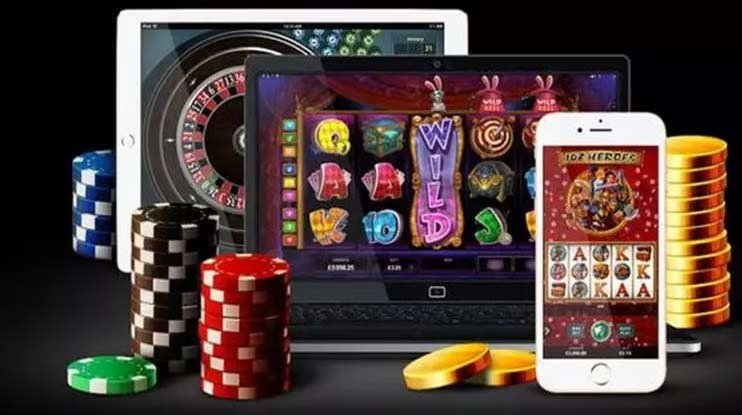
App Download

Download x92 App — Your Complete Betting Platform for Android & iOS in Pakistan

Get the full x92 experience on your phone. Slots, live casino, cricket betting, PSL odds, deposits in PKR, and fast withdrawals — all inside one lightweight app designed for Pakistani players.

Free Download
~28MB App Size
Android
& iOS
Supported
PKR Currency
x92

Why Download the x92 App Instead of Using the Browser?

The x92 website works fine on a mobile browser — there's no question about that. But once you've played a few sessions through the browser version and then try the dedicated app, the difference is immediately obvious. The app is faster, the navigation is tighter, and several features — including push notifications for live cricket odds during a PSL match and one-tap deposit shortcuts for JazzCash — are only available in the app version.

Pakistani players spend a lot of time on their phones. Whether it's during a commute, at home in the evening when a T20 match is running, or in between work during the day, mobile is the primary screen for most people. x92 built the download app with that reality in mind. The interface doesn't feel like a website crammed into a phone screen — it's laid out as a proper mobile application, with thumb-friendly controls, a compact bottom navigation bar, and pages that load without the overhead of a full browser session.

The app also handles Pakistani network conditions better than a typical browser tab. On 3G or a patchy 4G connection, the x92 app loads considerably faster because it caches core assets locally on your device. You're not re-downloading the navigation bar, icons, and layout every time you open the app — just the live data. For slots players, this means game tiles load quickly. For sports bettors watching cricket odds shift in real time during a live match, it means the interface stays responsive even when signal quality dips.

There's also the matter of security. The x92 app session is contained within the app environment — your login credentials aren't stored in a browser history, and the app can be secured with your phone's fingerprint or face unlock. For players who are mindful about account security, that extra layer makes a practical difference.

App At a Glance
Android APK direct download
iOS Web-clip / PWA install
Size ~28 MB (Android APK)
Min Android Android 7.0+
Min iOS iOS 13.0+
Currency PKR throughout
Network 3G / 4G / WiFi
Fast Load Push Alerts Biometric Login Auto Update

Download x92 on Android or iOS

Two different install methods — same complete x92 experience on both platforms.

Android APK Download

Direct install — no app store required

The x92 Android app is distributed as a direct APK file rather than through the Google Play Store. This is standard practice for online gaming apps in Pakistan — the install process takes about two minutes if you follow the steps correctly. The APK file is under 30 MB, so it downloads quickly even on a 3G connection.

Before downloading, you'll need to allow installation from unknown sources in your Android settings — the exact location varies slightly depending on your phone brand, but it's typically under Settings → Security, or Settings → Apps → Special App Access. Once you've enabled that, the APK installs like any other app and appears on your home screen. x92 pushes updates automatically — when a new version is available, you'll get a notification inside the app prompting you to download the latest APK.

Android 7.0+ ~28 MB Direct APK Auto-Update Prompt
Get Android APK

iOS Install (iPhone & iPad)

Progressive Web App — add to Home Screen

On iPhone and iPad, x92 uses a Progressive Web App (PWA) approach. Open x92 in Safari, tap the Share icon, and select "Add to Home Screen." The x92 icon appears on your home screen exactly like a native app. Tap it to launch — it opens full-screen without the browser address bar, feels native, and loads the complete x92 catalogue including slots, live casino, and sports.

The iOS PWA requires no special settings changes and no permissions adjustment. Safari handles the install natively. Updates happen automatically in the background whenever you open the app while connected — you always have the latest version without needing to reinstall anything.

iOS 13.0+ PWA / Web-Clip No Settings Change Auto Updates
iOS Install Guide
x92
Android Guide

How to Download & Install x92 on Android

The full Android install takes about two minutes. Follow these steps exactly and you'll have the x92 app running before a PSL over is finished.

1
Open the x92 App Page

Go to the App page on x92 using your phone's browser — Chrome works best on Android. You'll see the APK download button clearly on the page.

2
Allow Unknown Sources

Before downloading, go to Settings → Security (or Settings → Apps → Special App Access → Install Unknown Apps on newer Android versions) and allow your browser to install apps. This is a one-time step.

3
Tap the Download APK Button

Return to the x92 App page and tap the Android APK download button. The file is under 30 MB — on a standard JazzCash data connection it downloads in well under a minute.

4
Open the Downloaded File

When the download completes, tap "Open" in the notification bar or navigate to your Downloads folder and tap the x92 APK file. Android will ask you to confirm the install — tap Install.

5
Launch x92 and Log In

Once installed, tap Open or find x92 on your home screen. Log in with your existing account or register a new one. Your PKR balance, transaction history, and game preferences carry over immediately.

6
Enable Push Notifications (Optional)

When prompted, allow push notifications to receive live odds alerts during cricket matches, PSL updates, and deposit confirmation messages directly on your lock screen.

iOS Guide

How to Add x92 to Your iPhone Home Screen

No APK, no settings changes, no app store. iPhone install is even simpler than Android.

1
Open x92 in Safari

On your iPhone or iPad, open Safari and navigate to x92.onl. The site must be opened in Safari specifically — the Add to Home Screen option is not available in Chrome or other iOS browsers.

2
Tap the Share Icon

At the bottom of the Safari browser, tap the Share icon — it looks like a box with an arrow pointing upward. A menu slides up from the bottom of the screen.

3
Select "Add to Home Screen"

Scroll through the share menu options until you see "Add to Home Screen." Tap it. You can customise the app name if you like — the default is x92. Tap Add in the top right corner.

4
Find x92 on Your Home Screen

The x92 icon now appears on your iPhone home screen exactly like any other app. Tap it — it opens full-screen without the Safari address bar, giving you a clean, app-like experience.

5
Log In and Start Playing

Log in with your x92 account credentials. Your PKR balance and account data are exactly the same as on the browser or Android app — everything is account-based and syncs across devices.

x92
App Features

Everything Inside the x92 Download App

The x92 app isn't a stripped-back mobile version — it carries the full platform. Here's what you get the moment the install is done.

500+ Slot Games

The complete x92 slots catalogue — classic, video, Megaways, jackpot, and bonus buy — loads fully in the app with the same RTP and volatility information available on desktop.

Live Casino Tables

HD live dealer streams for roulette, baccarat, blackjack, and live game shows. The app handles live video streams efficiently — even on 4G the stream stays stable during peak hours.

Cricket & PSL Betting

Live in-play cricket odds, PSL match betting, T20 international markets, and pre-match wagering across all major cricket formats — all accessible from the app's Sports section.

JazzCash & Easypaisa Deposits

Deposit PKR directly through JazzCash, Easypaisa, Raast, or bank transfer from inside the app. Most JazzCash and Easypaisa top-ups reflect in your balance within a few minutes.

Live Odds Push Alerts

Get notified about match start times, live odds shifts during a T20 innings, bonus availability, and deposit confirmations — all delivered as push notifications directly to your phone.

Biometric Security

Enable fingerprint or face unlock for your x92 app session on supported Android and iOS devices. Log in with a single touch instead of typing your password every time.

x92 App vs Browser — Feature Comparison

A straightforward look at what differs between using the downloaded app and the mobile browser version of x92.

Feature x92 App (Android/iOS) Mobile Browser
Page Load Speed Faster — assets cached locally Standard browser load each visit
Push Notifications Yes — live odds, PSL alerts, deposits Not available
Biometric Login Fingerprint & Face ID supported Browser password manager only
Full Game Catalogue Complete — 500+ slots, casino, sports Complete — same catalogue
PKR Deposits (JazzCash/Easypaisa) Yes — one-tap shortcuts available Yes — via browser deposit page
Low-Signal Performance Better — optimised for 3G/4G Pakistan Standard browser overhead
Home Screen Icon Yes — native app icon on home screen No icon unless manually bookmarked
Live Casino HD Streams Optimised — adaptive bitrate Works — standard browser streaming
Account Security App-isolated session, no browser history Standard browser session
Update Method In-app prompt (Android) / Auto (iOS PWA) Always latest — no update needed

Both the app and browser version give you full access to the x92 platform. The app advantages are primarily speed, notifications, and convenience on mobile.

More Detail

The x92 App and Pakistan's Mobile Gaming Habits

The way Pakistani players engage with online gaming has shifted noticeably over the past few years. Desktop use still exists, but the majority of sessions on x92 now start on a mobile phone — often during cricket broadcasts, in the evening after work, or during breaks in a day that's largely organised around a smartphone screen. The x92 download app is a direct response to those habits rather than an afterthought bolted onto a desktop product.

Cricket drives a significant portion of mobile betting activity in Pakistan. When a PSL match is live, in-play markets move fast — the odds on the next wicket, the over total, the match winner — shift with every ball. Having x92 installed as an app means you can jump straight from watching on your TV or phone stream to placing a live bet in about three seconds. No opening a browser, no typing a URL, no waiting for the full page to reload. That responsiveness during live cricket is one of the most commented-on differences between using the x92 app versus the browser.

For slots players, the app makes late-night sessions more comfortable. The interface is designed around portrait mode play — slots reels sit cleanly on the screen, the stake controls are thumb-accessible at the bottom, and the game info panel (RTP, volatility, max win) slides in from the side without needing a separate browser tab. Players who run longer Megaways or jackpot sessions on x92 tend to stay on the app rather than switching back to a browser once they've used it a few times.

The PKR deposit flow inside the x92 app is also worth mentioning specifically. Because JazzCash and Easypaisa are deeply integrated into how Pakistani players manage money — not just for gaming but for everyday transactions — having a smooth, app-native deposit process that launches directly into JazzCash or Easypaisa without redirecting through multiple browser screens genuinely removes friction. Most deposits complete in under two minutes from tap to confirmed balance.

x92
Supported Devices
Samsung Galaxy A-series, S-series, M-series
Xiaomi / Redmi Most models Android 7.0+
Vivo / OPPO Fully supported
iPhone iPhone 6s and newer (iOS 13+)
iPad All models supporting iOS 13+
Tecno / Infinix Android 7.0+ confirmed working

More Reasons to Use the x92 App

Beyond the basics — additional features that make the downloaded app the preferred way to use x92 for most Pakistani players.

Dark Mode Native

The x92 app's deep purple dark theme is native — no battery drain from white backgrounds during late-night cricket betting sessions or long slot plays.

Landscape Support

Live casino games and certain slot titles play in landscape orientation — the app adapts automatically when you rotate your phone without any layout breaking.

In-App Game Search

Search the x92 slots catalogue directly from the app home screen. Type a game name, provider, or keyword and results appear instantly without reloading a page.

Bet History On-Demand

View your full bet and transaction history inside the app — slots sessions, sports wagers, and PKR deposits all logged and filterable by date or category.

In-App Support Chat

Reach the x92 support team through the live chat option inside the app without leaving your current session. Useful if a deposit query comes up mid-game.

Live Score Widget

The Sports section in the x92 app includes a live score widget for ongoing cricket and football matches — check scores without switching apps while managing your bets.

Responsible Gaming Tools

Set daily or weekly PKR deposit limits, activate session time reminders, or initiate a cooling-off period — all accessible from the Account section inside the app.

Seamless Cross-Device Sync

Start a session on desktop, pick it up on your phone through the app. Your PKR balance, active bonuses, and game preferences sync across all devices in real time.

Play Responsibly

Using the x92 App Responsibly

Having x92 on your home screen makes it more convenient — and convenience cuts both ways. The same ease of access that lets you place a live cricket bet in three seconds also means it's easier to open the app more often than you intended. Being aware of that is the starting point for keeping your x92 usage as entertainment rather than something that starts affecting your routine.

A few straightforward habits that help: set a PKR session budget before opening the app rather than deciding on the fly, use the deposit limit tools inside Account Settings to put a ceiling on weekly top-ups, and check your bet history periodically to get an honest picture of how much time and PKR you've spent across sessions. The data is all there in the app — using it honestly is more useful than ignoring it.

Push notifications are useful for live cricket alerts but can also create a habit of opening the app more than planned. You can manage exactly which notification types x92 sends in both the app settings and your phone's notification preferences. Turning off non-essential alerts while keeping deposit confirmations and critical account notices active is a reasonable middle ground.

The x92 app is for players aged 18 and above only. If at any point your usage stops feeling like leisure and starts feeling like an obligation, the self-exclusion option in Account Settings will block app access for a period of your choosing. More information on all responsible gaming tools is available on the Responsible Gaming page.

App Use Reminders
  • x92 is for adults aged 18 and above only — do not share your app login with minors.
  • Set a PKR budget before every session, not during it.
  • Use app notification settings to limit alerts that encourage unplanned sessions.
  • Never deposit PKR that is earmarked for bills, rent, or essential expenses.
  • Losses cannot be reliably recovered by playing more — each session is independent.
  • Self-exclusion and deposit limits are available in Account Settings — use them proactively.
Deposit Limits

Set weekly PKR deposit caps from Account Settings inside the app.

Self-Exclusion

Block app access temporarily or permanently from Account Settings at any time.

Frequently Asked Questions — x92 App Download

Common questions from Pakistani players about downloading and using the x92 app.

Yes, the x92 app is completely free to download on both Android and iOS. There is no charge for the APK file or the iOS PWA install. The only money involved in using x92 is whatever PKR amount you choose to deposit to play games — the app itself costs nothing.

Online gaming and betting apps are generally not accepted on the Google Play Store due to its global content policies. This is standard across the industry — most online gaming platforms in Pakistan distribute their Android app as a direct APK file. The x92 APK is safe to install; you simply need to allow installations from unknown sources once in your Android settings, which is a straightforward one-time step explained in the install guide above.

No. The x92 APK is the official app file distributed directly by x92. It does not contain malware, spyware, or any harmful code. As a general practice, only download the x92 APK from the official x92 App page — do not install APK files from third-party sites claiming to offer the x92 app, as those cannot be verified. The official download link is always on the x92 App page at x92.onl.

Yes. The x92 app is optimised for Pakistani mobile network conditions including 3G and standard 4G connections. Slots, live casino, and sports betting all function on a normal mobile data connection. Live casino HD streams require a reasonably stable 4G or WiFi connection for the best experience — on weaker signals the stream quality automatically reduces to maintain playability. JazzCash and Easypaisa deposit flows inside the app also work on mobile data without needing WiFi.

Yes, your x92 account is the same across all platforms. Log in on the Android app, the iOS PWA, or a desktop browser — your PKR balance, transaction history, active bonuses, and game preferences are all synchronised. You can start a session on your laptop and continue it on your phone without any data being lost between switches.

When a new version of the x92 Android app is available, you'll receive a notification inside the app prompting you to download the latest APK. Tapping the prompt takes you directly to the download page. The update process is the same as the original install — download the new APK and tap to install. The update replaces the existing app while keeping your account data and settings intact. iOS PWA updates happen automatically in the background without any action required from you.

The most common reason an APK won't install is that "Install Unknown Apps" permission hasn't been enabled for the browser you used to download the file. Go to Settings → Apps → find your browser (Chrome, Firefox, etc.) → tap it → look for "Install Unknown Apps" and enable it. Then try the install again. If you see an error about insufficient storage, free up space on your device and retry. If problems persist, contact the x92 support team through the live chat on the website for step-by-step help specific to your device model.

Download x92 Now — Free, Fast, Built for Pakistan

Get the x92 app on your Android or iPhone, deposit PKR via JazzCash or Easypaisa, and access 500+ slots, live casino tables, and PSL cricket betting from your home screen.

18+ only. Play responsibly. Entertainment purposes only. No wins or profits are guaranteed.